Super Hover
Tiny hover hit-testing library for expressive pointer-following interactions that keep updating while content scrolls or moves.
Super Hover recomputes hover-like hit tests every frame. Native CSS :hover intentionally does not keep recomputing during many scroll and layout transitions, which is better for ordinary UI. Super Hover is for the narrower creative case: portfolio work lists, image-synced lists, playful showcases, or any interaction where the object under the pointer should stay active while the surface moves. Source: Super Hover docs, 2026-06-30
The library marks the active element with data-super-hover-active and emits superhoverenter, superhoverleave, and superhovermove custom events. Use CSS for the first pass; reach for events only when the active item drives another surface such as a preview image or background. Current package authority: super-hover@0.1.2, MIT, repo danielpetho/super-hover, pushed 2026-06-26, no GitHub release as of 2026-06-30. Source: npm registry via npm view, 2026-06-30 Source: GitHub danielpetho/super-hover, 2026-06-30
Routing Summary
Use Super Hover for pointer-following hover effects where the active target must keep updating while the page scrolls or layout moves. Prefer CSS :hover and normal pointer/focus states for ordinary UI; route here only for deliberate portfolio, showcase, or preview-linked interactions.
Fit
- Use when the interaction depends on scroll or moving elements; otherwise prefer CSS
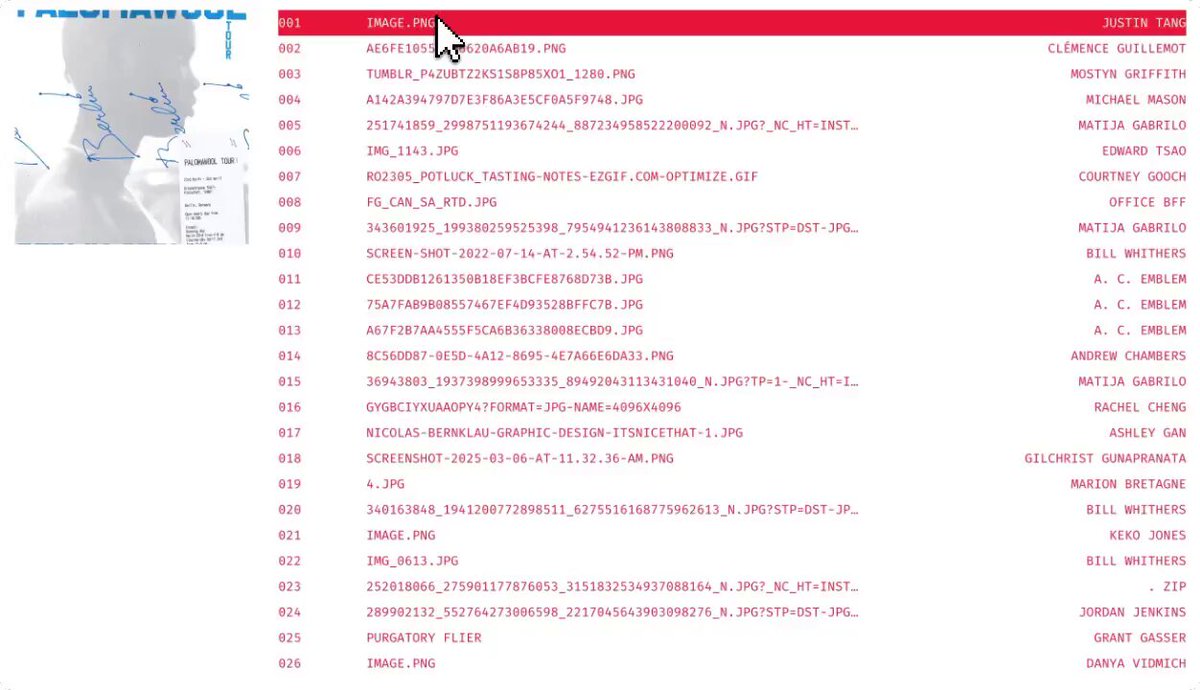
:hover,:focus-visible, and normal pointer events. - Good for portfolio/work-section lists where a highlighted row controls media on the side, matching the X demo artifact.
- Treat it as an enhancement. The default list must remain readable and navigable without the effect.
- Disable or avoid high-frequency move events unless the surface actually needs them.
X Artifact
- Local demo media: thumbnail; video remains available in the enriched source record.
Timeline
- 2026-06-17 | Captured from Kevin's X bookmarks via @nonzeroexitcode's portfolio-list demo and promoted to a focused tool page after artifact review. Source: X/@nonzeroexitcode, 2026-06-17